
Among dozens of plugin companies that want to emulate, with varying fortunes, this or that historic hardware 30 and more years old, sometimes some software company arrives that releases plugins that try to do something else, finally making us avoid for a time the analog vs digital comparison.
We refer to Instant Audio, which as reported on the related website “is the result of the first cross-brand collaboration within United Plugins. The teams Firesonic and SounDevice Digital teamed up to create a series of tools that would help artists get the sound they wanted… well, instantly ”.
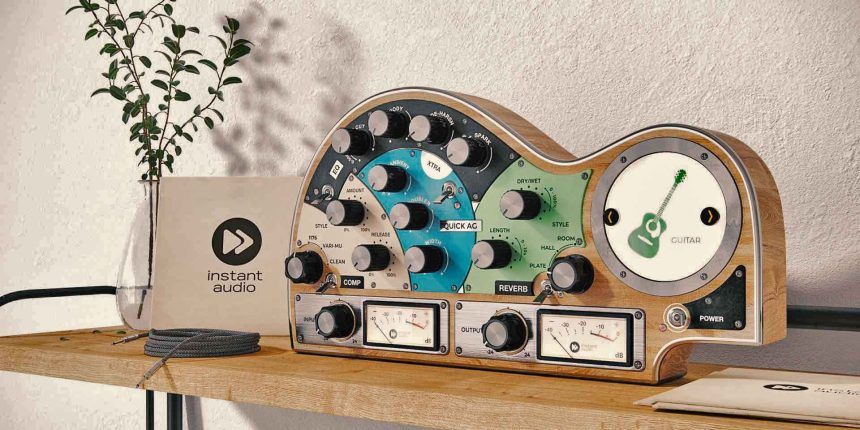
In fact, the software that we are going to comb through goes precisely in this direction and we can already understand a few things from the name. In fact, we are talking about Quick AG, a very useful new tool to make life easier for many musicians who use stringed instruments including Guitar (intended as acoustic guitar), Ukulele, Spanish Guitar (we mean classical guitar with nylon strings), Baritone o Mandolin.
There is no need to of ILOK to be able to authorize it, simply the serial provided by the company. QUICK AG can safely work on 64 bit and at any sampling rate starting from 44.1 maximum 192Khz.
Product screen
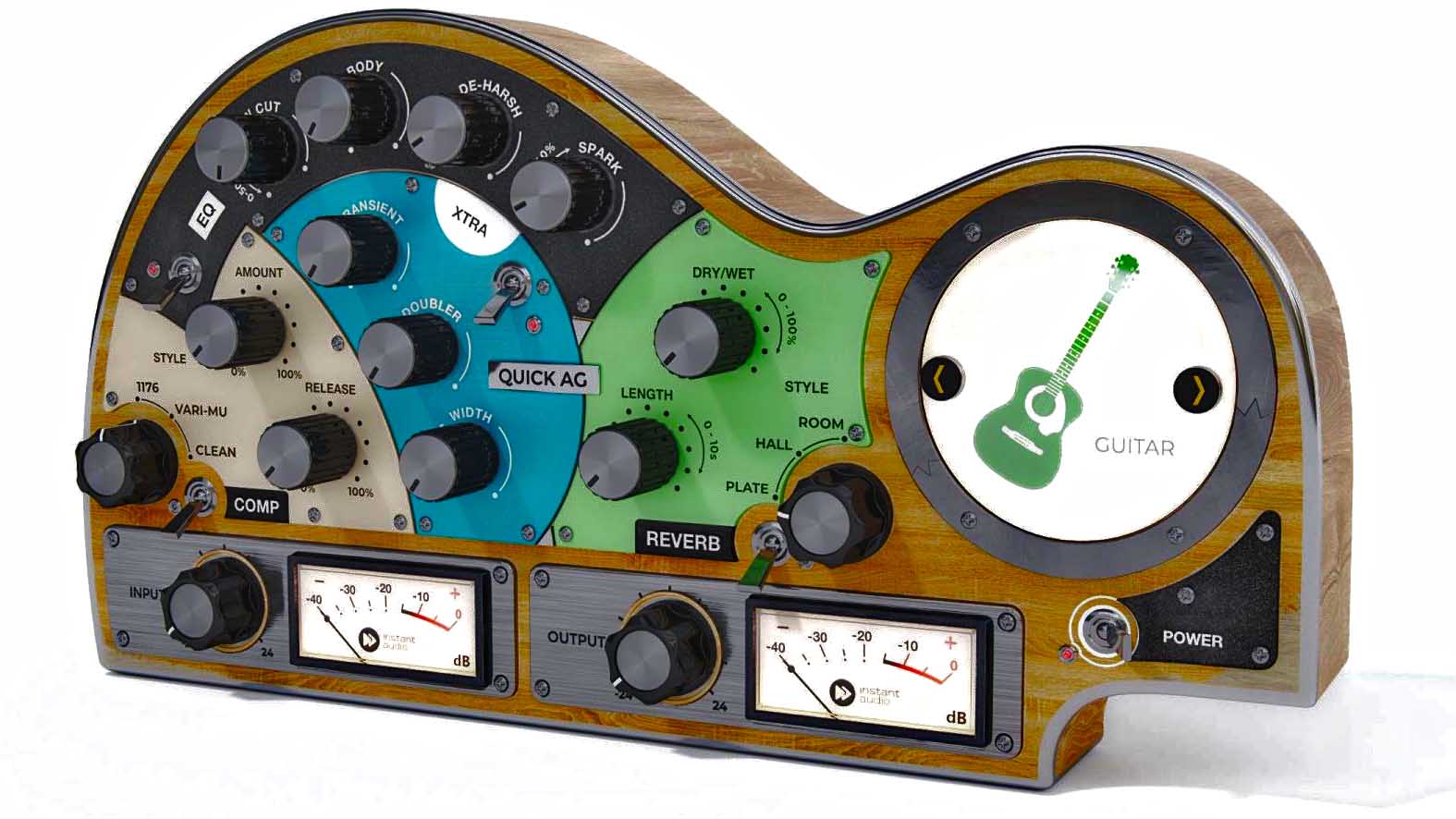
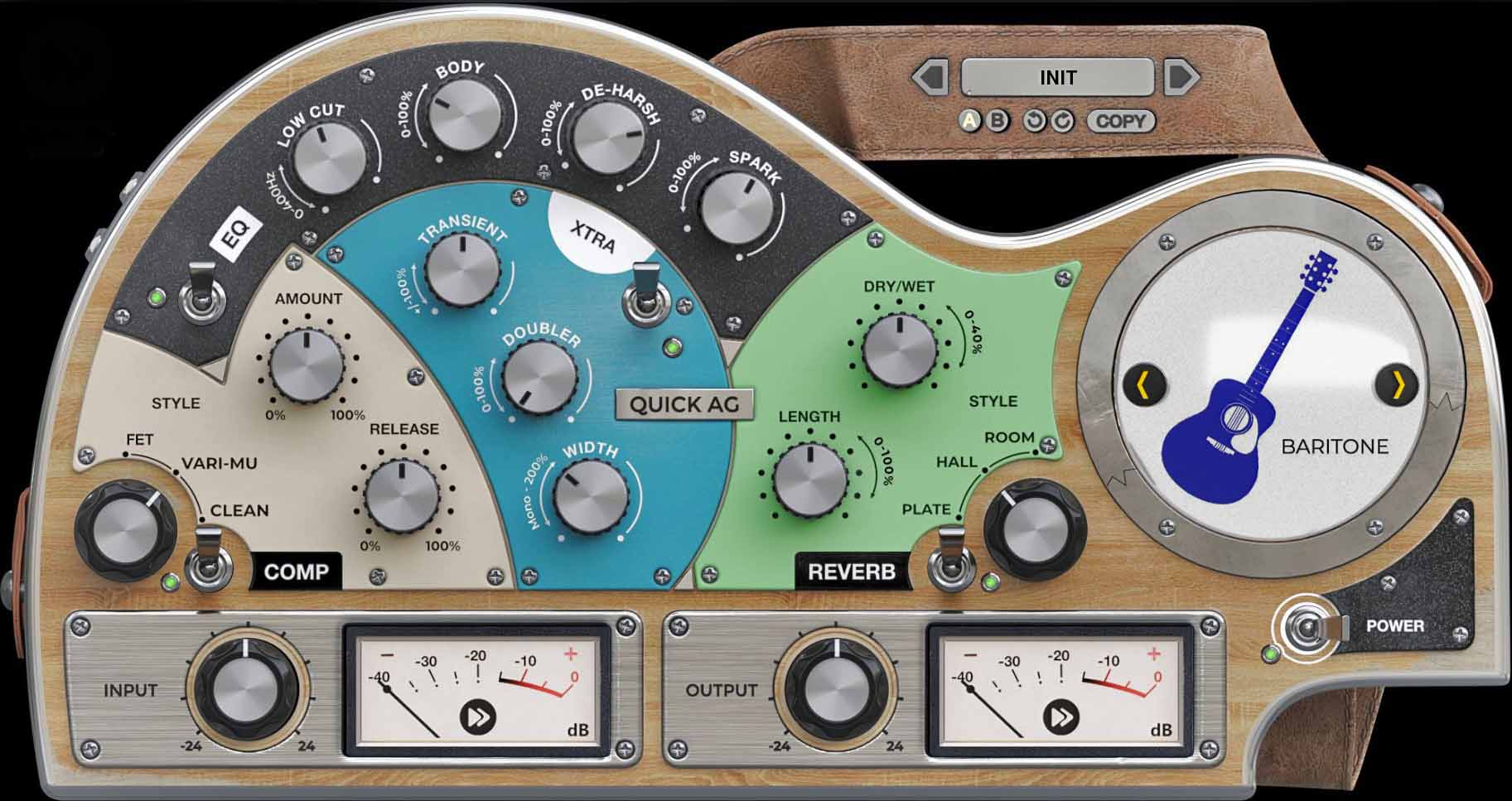
The screen, as you can see, has the shape of the body of a guitar, with the different sections at our disposal inside. Starting from the bottom, we have two adjustments of Input ed output, with relative VU Meter.
Sulla right we have the possibility to choose the tool on which we are going to work among those mentioned above. Selecting a tool activates automatic internal settings based on the selected tool. This affects each section of Quick AG but mainly the EQ settings. Starting fromfar left, instead, we have the whole dynamics section, eq, extra e reverb, each with its own bypass button.
EQ section
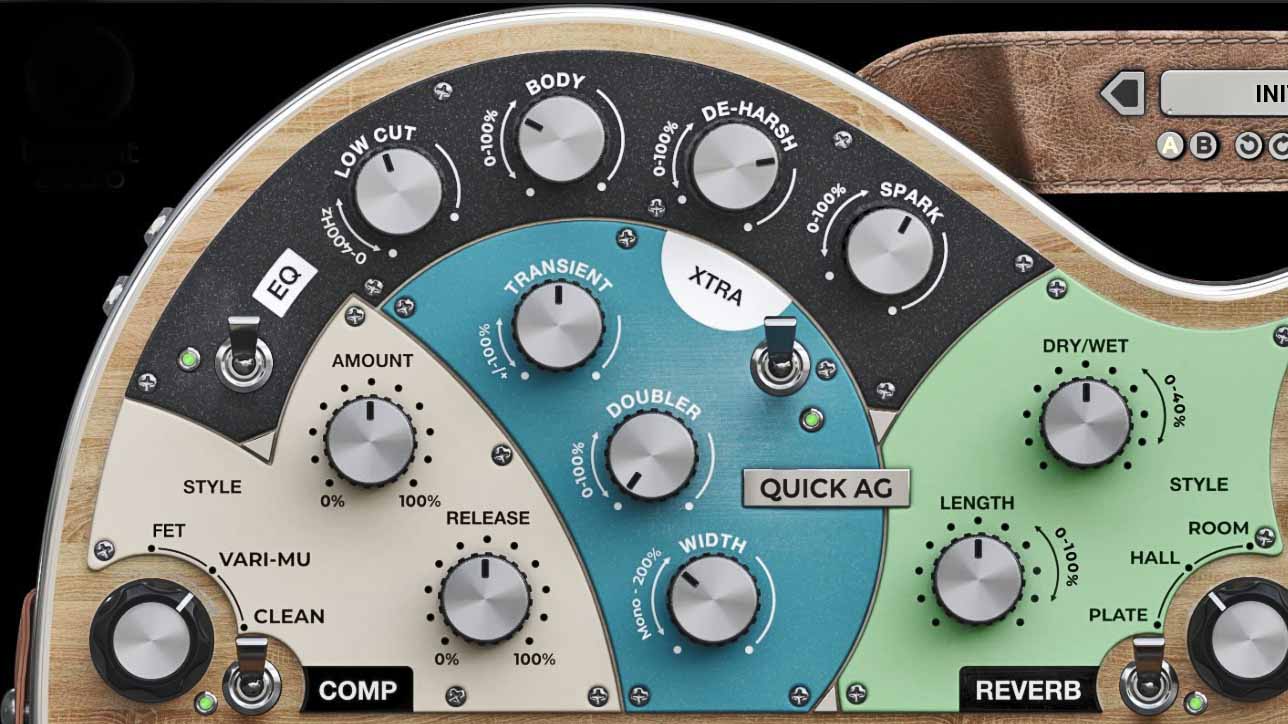
The EQ sectionincludes the following parameters:
Enable- The switch has the double color red \ green to indicate if the plugin is in bypass or not
Low Cut- Cuts frequencies between 20and XNUMXHz, when the knob is set to XNUMX, the filter is off Body, De-Harsh and Spark.
As we can see from the last three parameters, we are not dealing with a standard eq, but more than anything else to a tool that allows us to make the most of the character of our acoustic instrument, acting on parameters, which are preset, but suitable for the instrument we are going to select. With the parameter body we're going to give some solidity to our sound, with the parameter de harsh we have a sort of hi-cut, even if it is not a proper terminology, which cuts those very sharp frequencies typical of the instrument recorded online. Finally we have the parameter Spark, which allows you to add harmonics outside the frequency range cut by the de-harsh in order to revitalize the sound a little.
Compression section
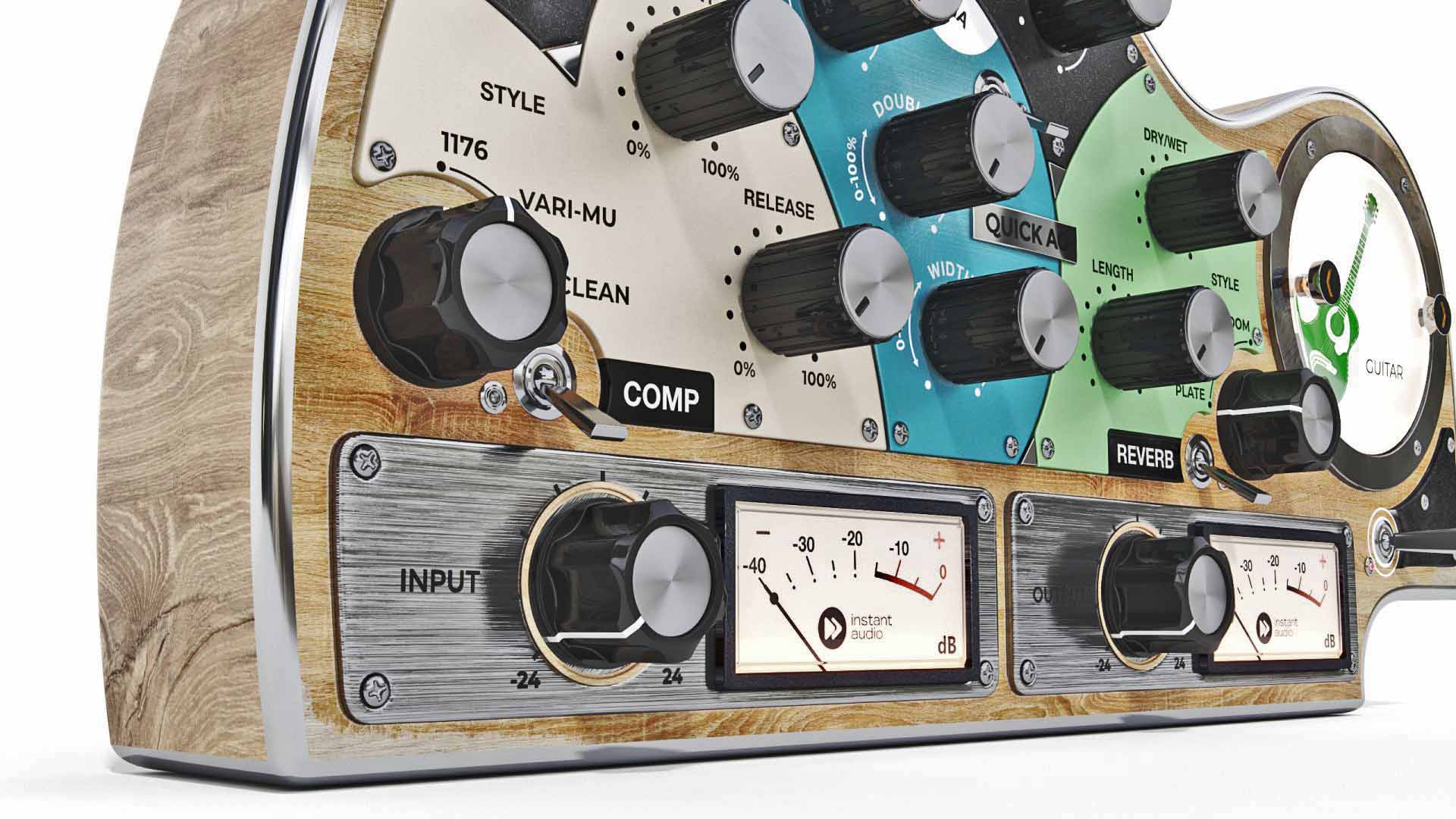
Let's move on to section Comp. Again we have one switch enable to activate or deactivate the bypass, a knob Style which allows you to select the type of compressor that most interests us, including FET, Vari-Mu and Chub, vaguely inspired by UREI XNUMX,Manley and DBXXNUMX, a control to adjust the Releaseand a check Amount to balance the signal dry\law.
Reverb section
We come to the Reverb section where in addition to the switch enable, we can choose the type of reverbbetween Room, Plate and Hallas well as having control Lenghtfor the Decay (which also varies according to the type of reverb chosen) and the dry \ wet control.
XTRA section
Finally we have the XTRA section which in addition to the control for the bypass, has a control Transient which adds focus to the transients, Width to manage the stereophonic opening and there is also a Doubler.
At the top there is a menu where you can select the Presets, with the possibility of switching between two different settings A\B of the same Preset. By right-clicking anywhere in the plugin, however, you can access a submenu that allows you to scale the graphical interface, access the manual and create screenshots.
Personal considerations
As can be seen from the description made earlier, the plugin is definitely user friendly, without too many frills and commands that would complicate the life of people not too accustomed to mixing, in fact an excellent use that can be done with this software is to revitalize guitars recorded live and not through microphones, as it seems to be designed for just that.
One of the problems that often happens when you go to mix one live session, a concert, is to have live recorded acoustic guitars, which are often very bright and without body. This plugin allows you to go and work on this type of problem, in addition to addressing also producer or home studio who, by recording their guitar live, still want to improve the sound of their instrument without getting lost among thousands of plugins, often too complex, but it can also come in handy in PRO situations where you have to act quickly on specific parameters.
The examples that we propose were made during a live with a Larrivee Acoustics recorded live through his Fishman pickups and we can actually evaluate how the improvement is evident in the character of the guitar. The most interesting function is undoubtedly in the section EQ, but that too XTRA has its why.
As for the sections comp e reverb, are very useful in the context of the plugin, but perhaps for some more experienced users, it might be more satisfying to use some external plugin.
We also tried to use the plugin on an acoustic guitar signal mic'd with a Neuman U87, but in that case the plugin turned out to be frankly useless, as starting from a good source there is no need to use a tool of this type to "fix" the sound, indeed the result was anything but pleasant, so all the more reason it turns out that this plugin is used to "save" a not excellent audio recording. The fact remains that this plugin can also be used creatively, for example I found the settings for mandolin applied to acoustic guitar, in fact I would recommend to use this plugin in a "broader" way than the basic company indicated.
Useful Information
Product: Quick AG
Distributor: United Plugins
Price: Euro 99 (Download)
Vincenzo Siani