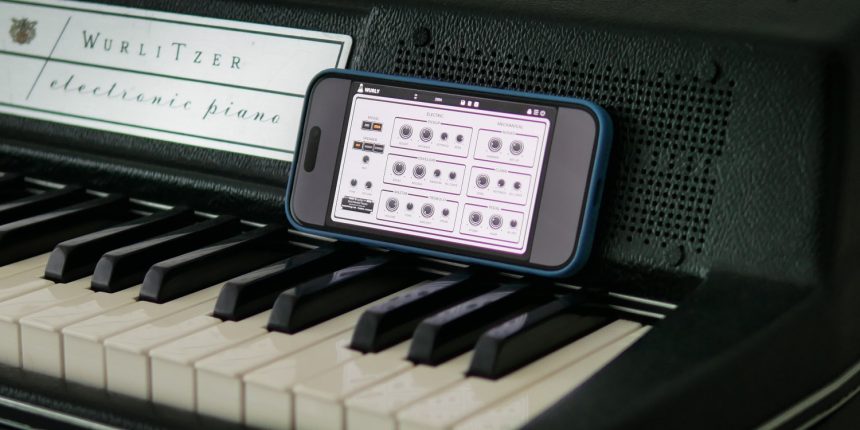
When it comes to recreating the characteristic sound of the Wurlitzer, AudioThing's Wurly plugin stands out as one of the most carefully crafted emulations available, thanks to its approach that combines physical modeling and samples. This blend allows for a realistic sound that stays true to the original Wurlitzer 200 and 200A models, while maintaining a minimal impact on CPU resources.
A Dive into History: Wurlitzer 200 and 200A
The Wurlitzer 200 and 200A are iconic instruments, featured in countless recordings across genres such as rock, jazz, soul, and pop. Introduced in 1968 and 1972 respectively, these models became renowned for their distinctive, warm, and slightly gritty sound, which could cut through a mix without being overpowering.
Instead of traditional piano strings, the Wurlitzer uses metal reeds that vibrate when struck by small felt-covered hammers (similar to a piano's action), which are triggered by pressing the keys. These vibrations are then converted into electrical signals by a large pickup. This signal is amplified and transmitted through the instrument's built-in speakers, producing its characteristic warm, slightly distorted sound, known for its percussive attack and rich dynamic expression.
The Wurly Emulation: Realism and Details
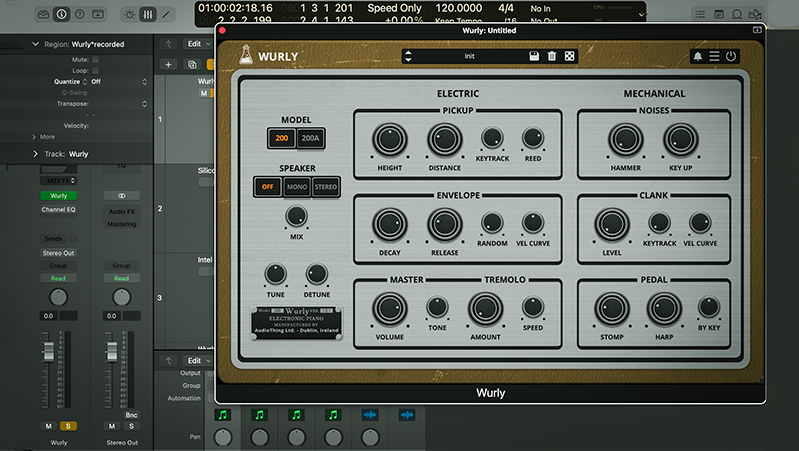
AudioThing's Wurly captures the essence of these historic instruments through a sophisticated combination of physical modeling and samples. The physical modeling replicates the instrument's real-time response, providing a dynamic and expressive experience, while the samples add crucial details like mechanical noises, enhancing the overall realism. This hybrid approach enables an extraordinarily faithful sound without overburdening your system.
To emulate the original speakers, Wurly uses samples based on impulses captured directly from the speakers of the Wurlitzer XNUMX and XNUMXA models. These impulses can be mixed with the direct sound and configured in mono or stereo mode. Although the Wurlitzer is a mono instrument, a common technique to achieve greater stereo depth involved miking both of the Wurlitzer's speakers, creating a wider and more immersive sound image.
CPU Efficiency: Performance Without Compromise
Another strong point of Wurly is its efficiency. Despite the complexity of the sound and the depth of the emulation, this plugin is surprisingly light on CPU and, more importantly, on RAM. This means you can use it in complex projects, even with many instances active, without compromising workflow smoothness. This makes it perfect for use in high-density production sessions or on less powerful portable setups, unlike using sample libraries, which are often too heavy.
System requirements
Wurly is available for Windows, macOS, Linux, and even iOS/iPad, supporting all major formats (VST2, VST3, AU, AAX, CLAP). The minimum system requirements include:
- Windows 10 or higher
- macOS 10.13 or higher
- Intel or M processor on macOS
- 4 GB of RAM
- 150 MB of disk space
Thanks to its lightweight design, Wurly is suitable even for more modest setups without sacrificing sound quality.
Conclusions: Wurly is an emulation not to be missed
In summary, Wurly by AudioThing stands out as one of the best Wurlitzer emulations available. Its hybrid approach, combining physical modeling and samples, offers an authentic and realistic sound with minimal CPU load. If you're looking for a VST that brings the warmth and versatility of a Wurlitzer 200 or 200A into your studio, Wurly is definitely a plugin not to be missed. An excellent choice for anyone looking to enrich their sound arsenal with a timeless classic.
Useful Information
website: www.audiothing.net/instruments/wurly
iOS/iPad: apps.apple.com/us/app/wurly-electric-piano
Price (desktop): $/€69
Price (iOS): $19.99